
Proactive safety management
Safety Powered by field data.
HazProof integrates your JHAs, inspections, meetings, and field observations—one platform, every safety decision.

Spotty signal?
Crews fill out JHAs, inspections, and incident reports on the job. Drafts save on the phone and send when you're back online.
See how it worksBuilt around your safety program.
Your hazards, forms, and procedures, set up the way your company works. The JHA draws from your library, not a generic template.
Made for the field, not the office.
Big buttons, fast forms, and sign-offs on one phone. The same phone covers a JHA, an inspection, a toolbox talk, or a lift plan.
The office and the field
One record,two places to work.
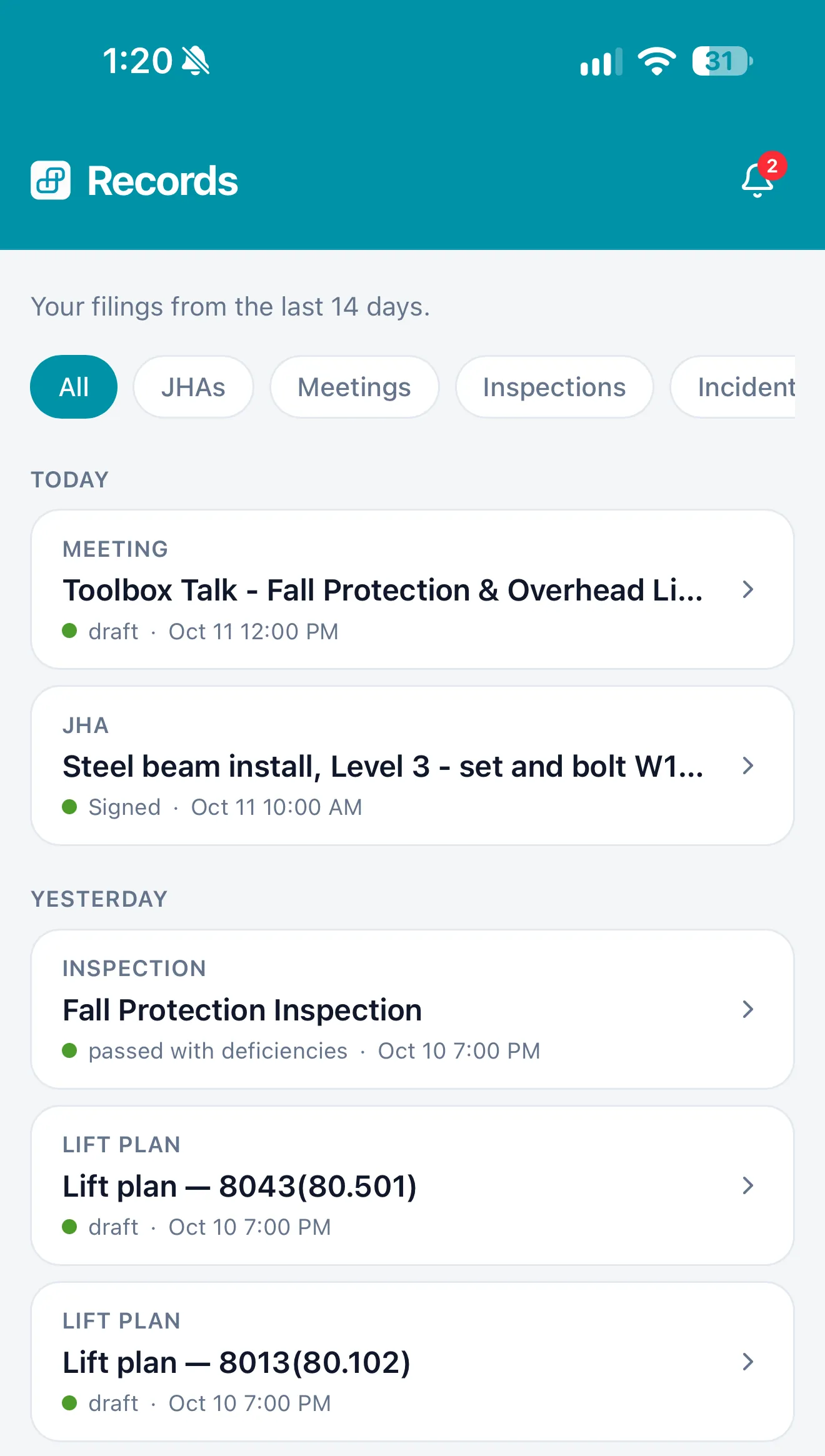
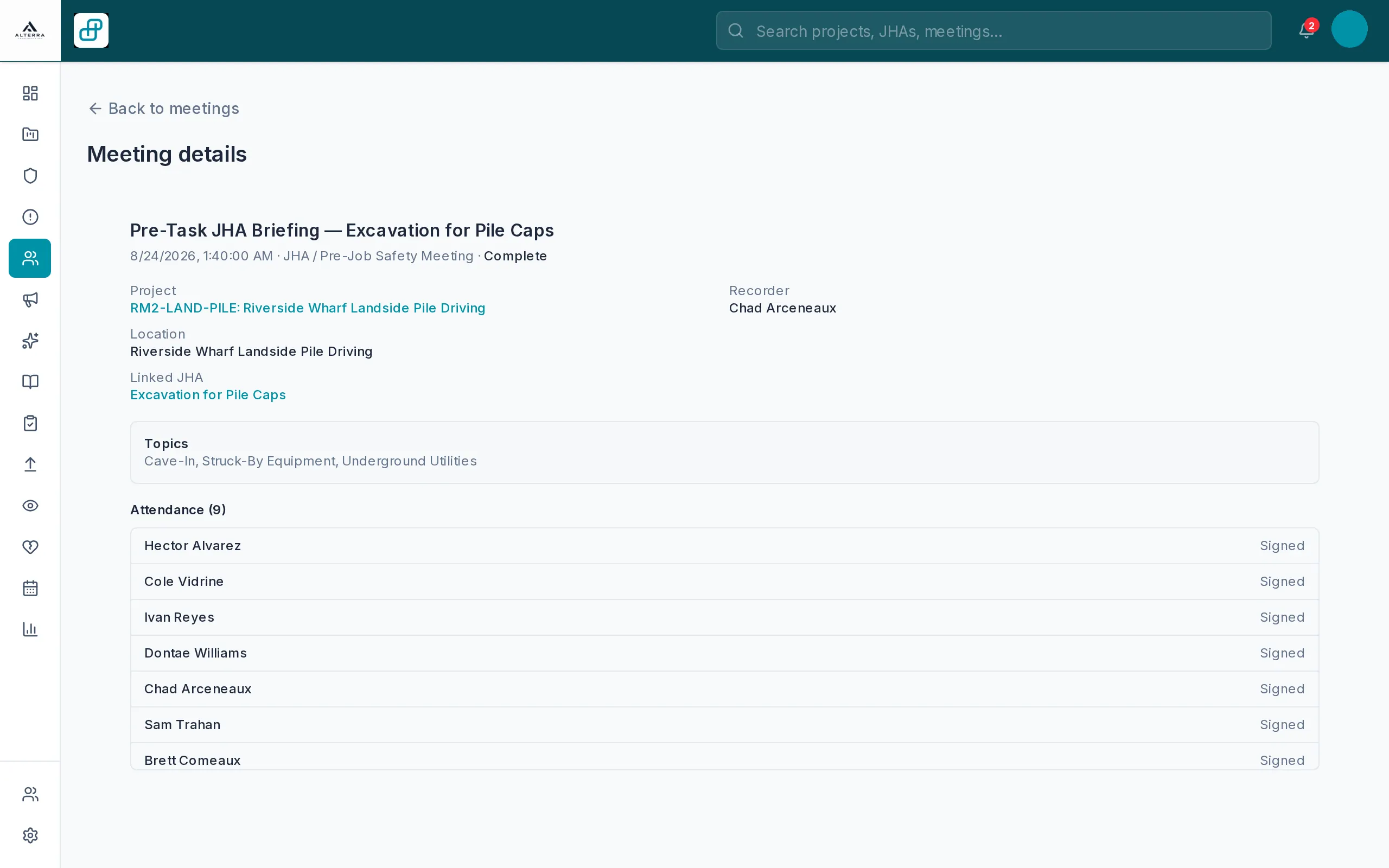
A safety manager works the full JHA in the browser. The crew works the same job from the phone, and drafts save on the phone when signal drops. What gets signed in the field is what shows up in the office list. There is no second write-up and no stack of paper to bring back.
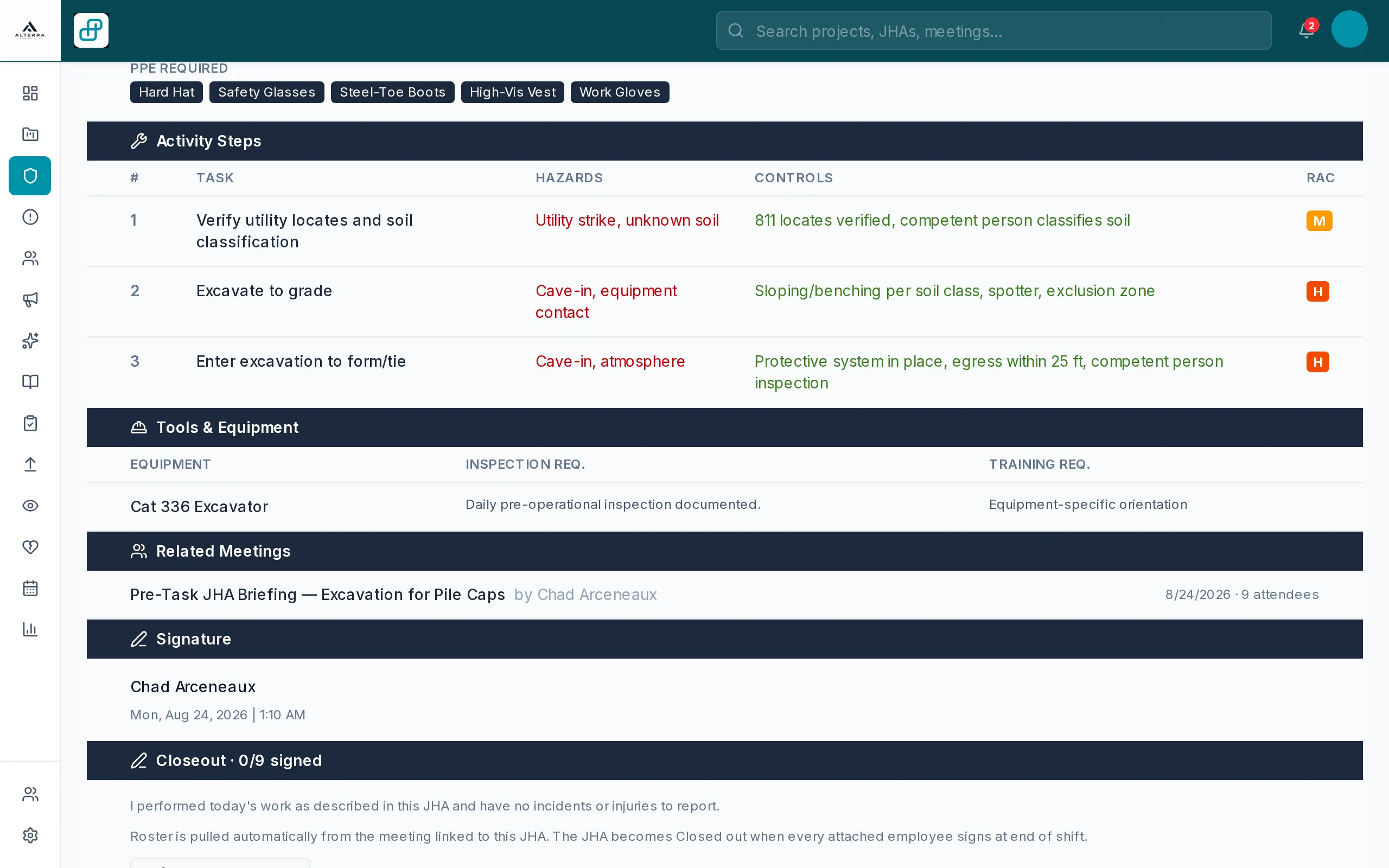
Office app for safety managers and PMs
iPhone app for the crew in the field
Spotty signal
Signal drops on the job?Keep working.
JHAs, inspections, and incident reports get filled out where the work is happening. The hazard library and the forms are stored on the phone. Drafts save on the phone and send when you're back online. Nothing has to ride back to the office on paper.

What it does
Everything your crews fill out,in one place.
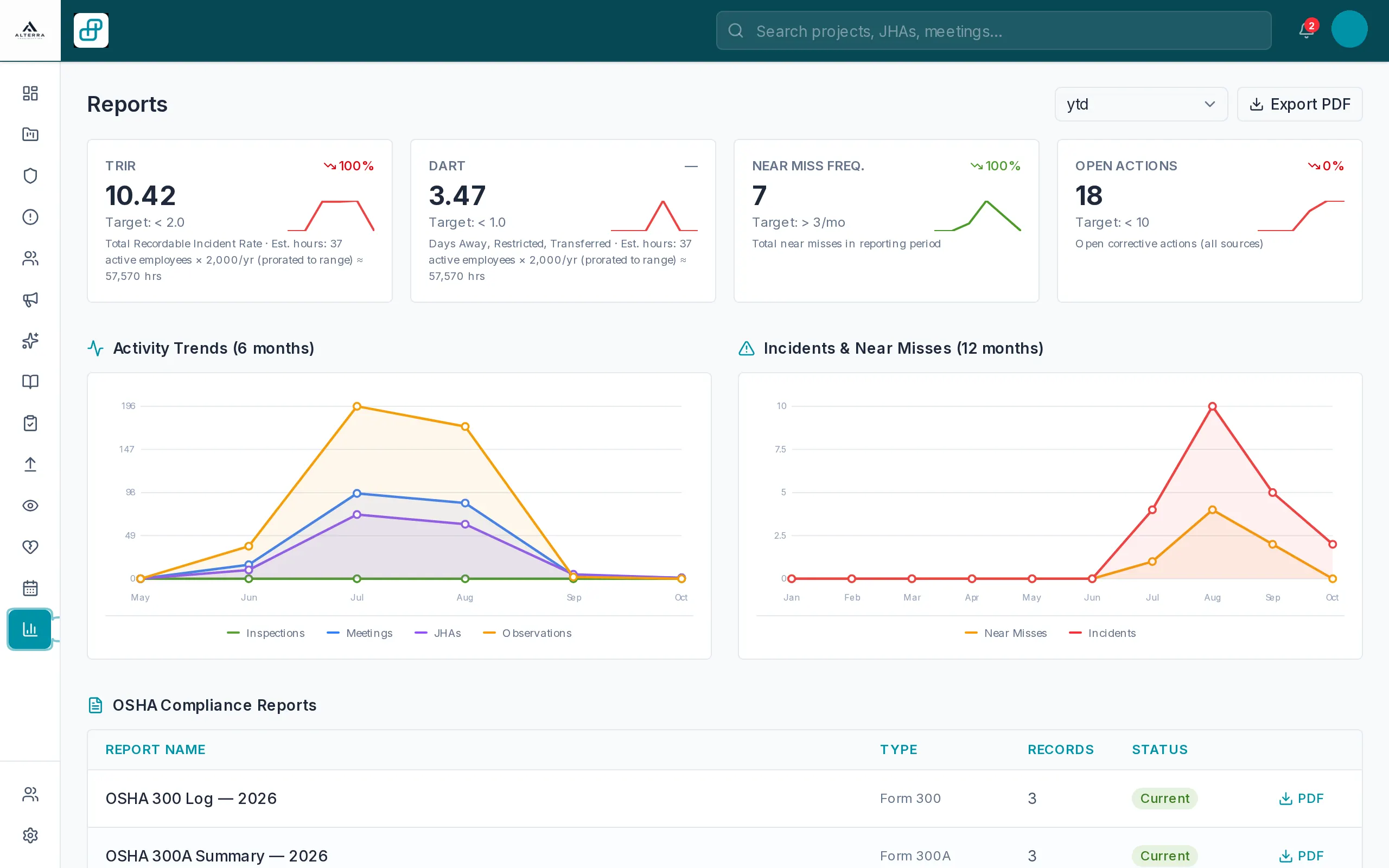
JHAs, toolbox talks, inspections, observations, incidents, and crane lift plans start on the phone. The office sees them without a second system. Reports and OSHA logs are built from those records. Open any module to see how it works on the job.
JHAs
Done at the tailgate, not back at the truck.
JHAsToolbox talks
Sign-in sheet and crew photo on the phone.
Toolbox talksInspections
Your forms built in, or make your own.
InspectionsHazards & observations
Anyone on the crew can log one from their phone.
ObservationsIncidents
Guided, signed statements in English and Spanish.
IncidentsCrane lift plans
Filled out at the crane.
Lift plansField-first
Big buttons. Fast forms.Gloves on.
HazProof is built for the people doing the work, from general construction and civil to utilities and specialty trades. A foreman can run a JHA, an inspection, a crane lift plan, or a crew sign-off on one phone, without a laptop. The buttons are large on purpose. The form follows the work, not a desk procedure.
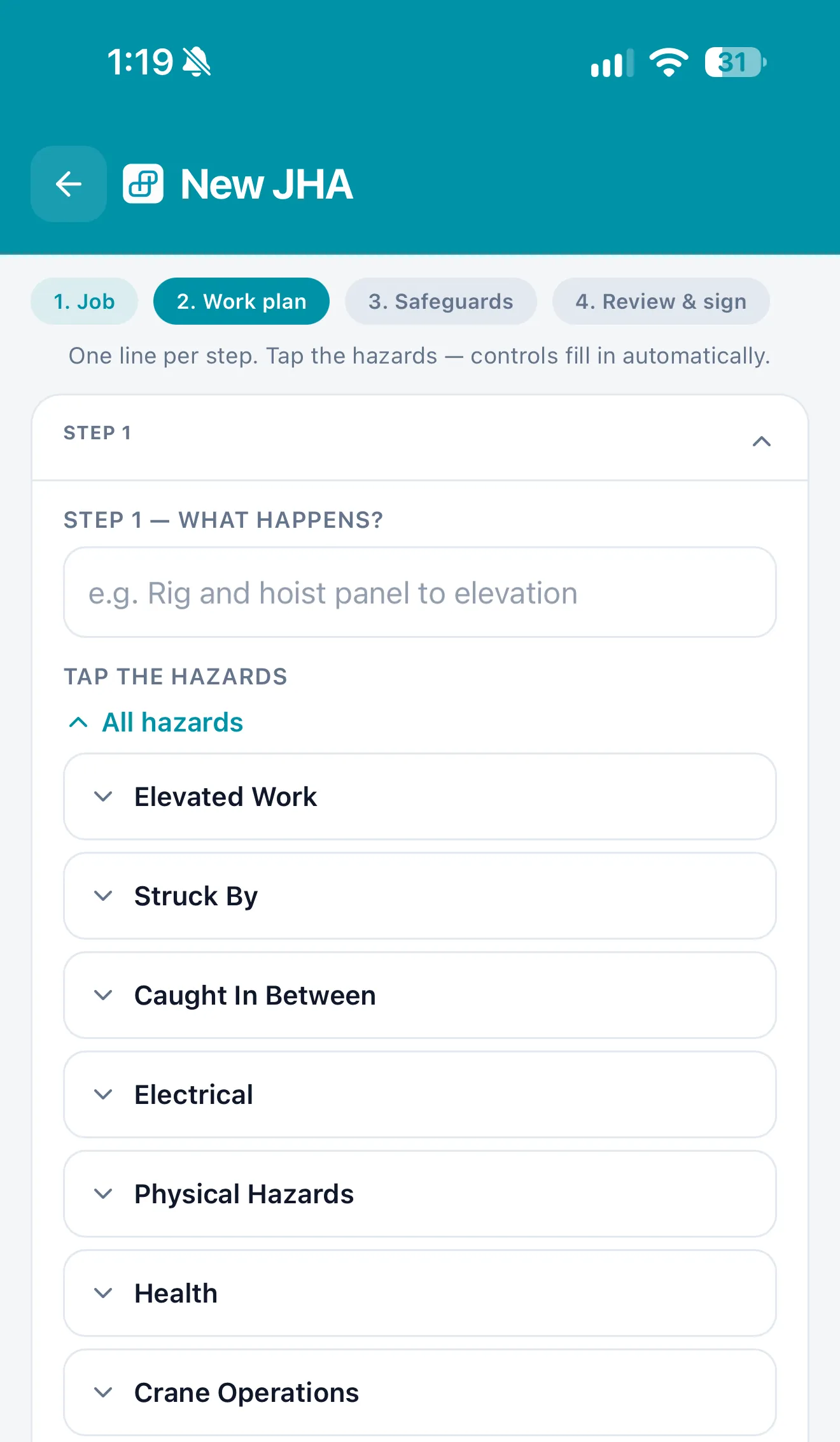
JHA at the tailgate
Pick the task and tap the hazards. Controls fill in from your library.
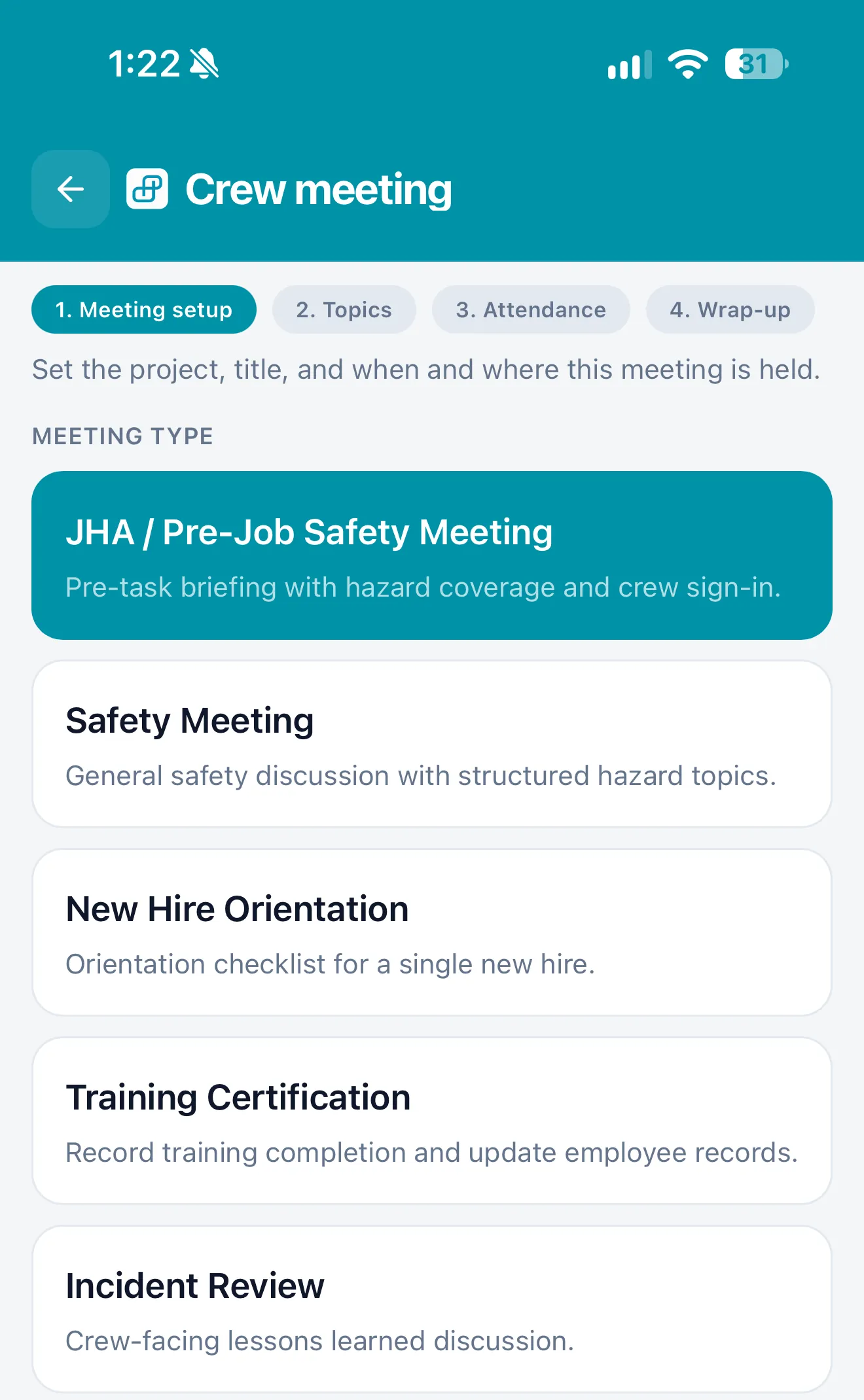
Big buttons
Crew meetings, inspections, and incidents from one list on the phone.
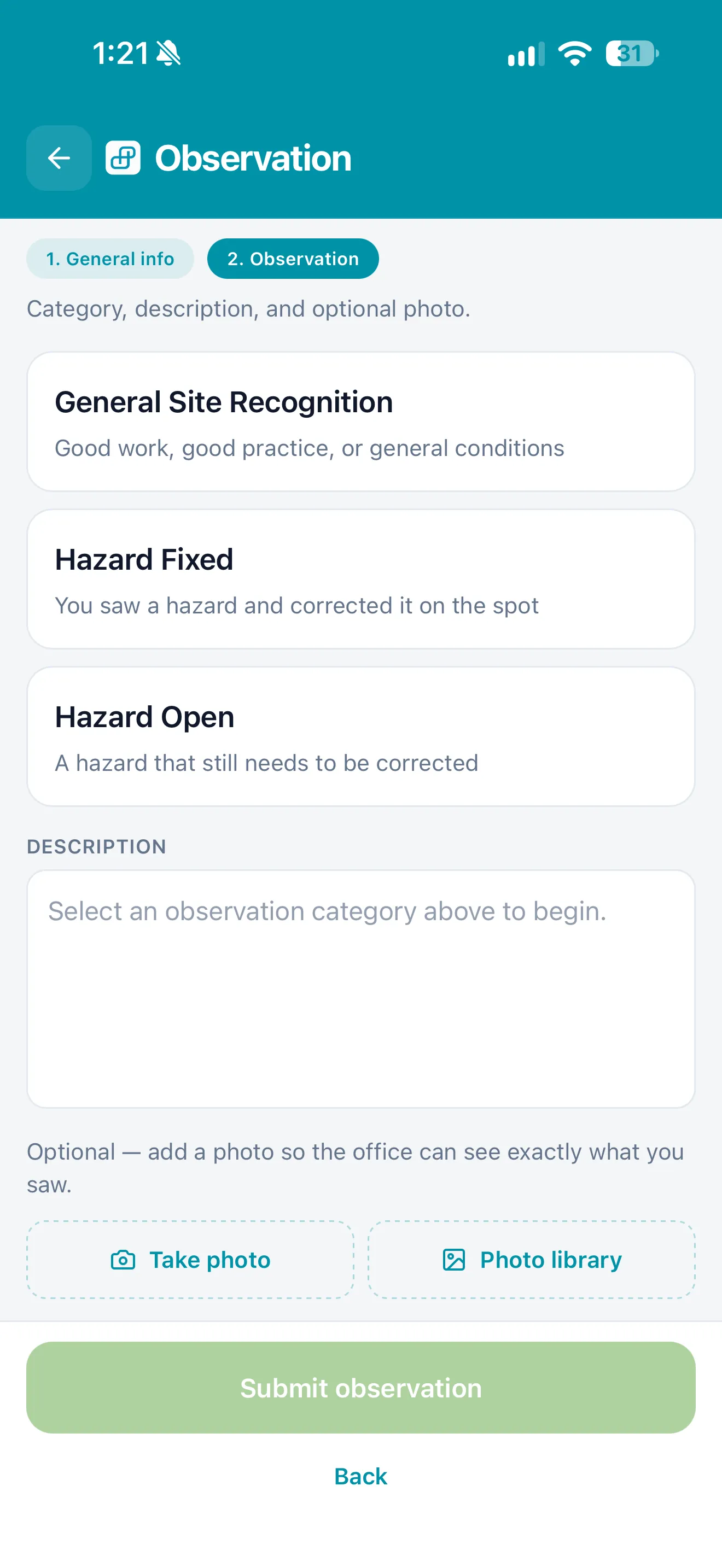
Log a hazard
Anyone on the crew can log an observation, with a photo, from the phone.
Meanwhile, in the office
Every field JHA lands in the office,signed and searchable.
The safety manager sees each day's JHAs by project once the phones sync. There is no stack of paper to chase. The list is the same record the crew already signed, with the project, the recorder, and the status in one place.
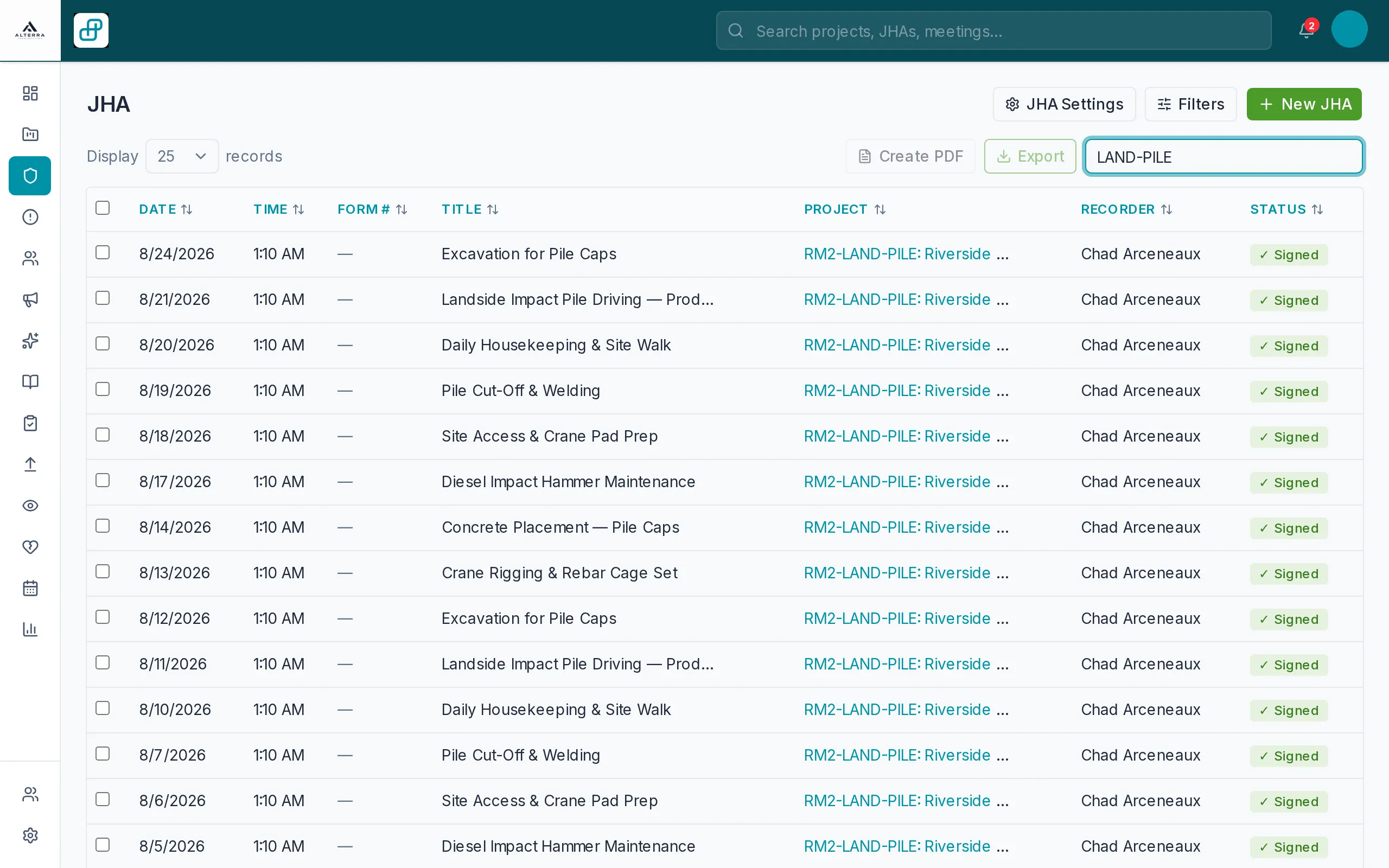
Your safety program
Your hazards, your forms,your procedures.
We set HazProof up with the hazards, controls, inspection forms, and procedures your company already uses, so it matches how you run safety. Your foreman picks the task and the JHA fills in from your own library, instead of being copied from yesterday's sheet. Permits and PPE come from that same library. When a general contractor asks for the record, it exports as a PDF.
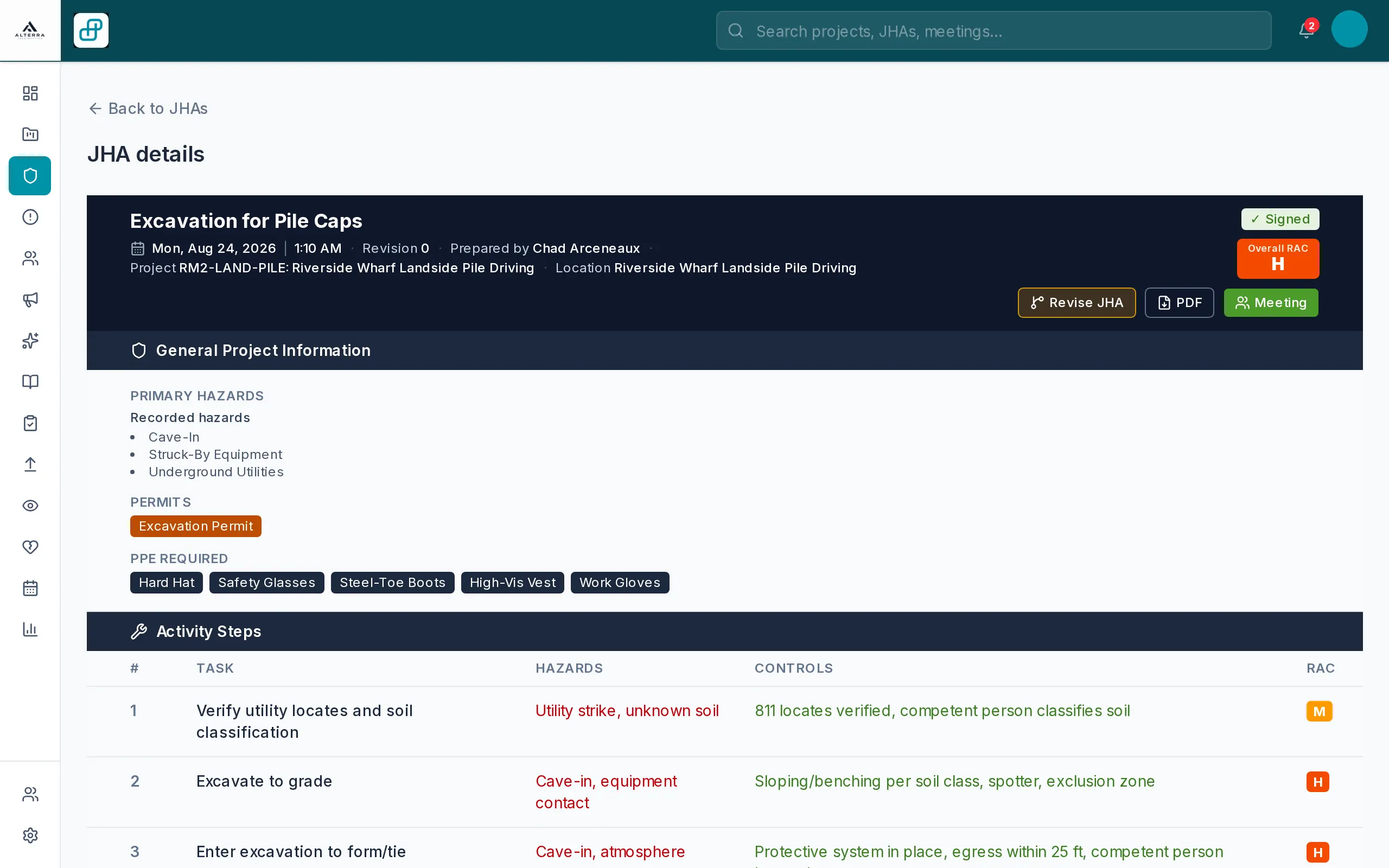
Task in, controls out
Type the work step and tap the hazard. The control and the risk code fill in from your library.
Signed by the crew
Every JHA is numbered and signed by the people who did the work. It stays searchable once they send it in.
PDF when the GC asks
One export is the record a general contractor asks for. It comes from the signed JHA, not from a second write-up.
Pricing
One product.Quoted to your crews.
No tiers and no locked features. We price on the size of your field workforce and give you the number on the first call. Setup and crew training are part of that conversation. The iPhone app is live now; Android is on the way.
- Every module, unlimited projects and forms
- Setup and crew training included
- Drafts save on the phone
- Security questionnaire? We'll work through it with you
- Real support from the team that builds it.
Request a demo
See it on yourkind of work.
Your trades and your jobs, on a call with us. We walk one of your tasks in the field app, the way a foreman would run it. You leave with a quote based on the size of your crews, and with a clear sense of whether the phone app fits the work.